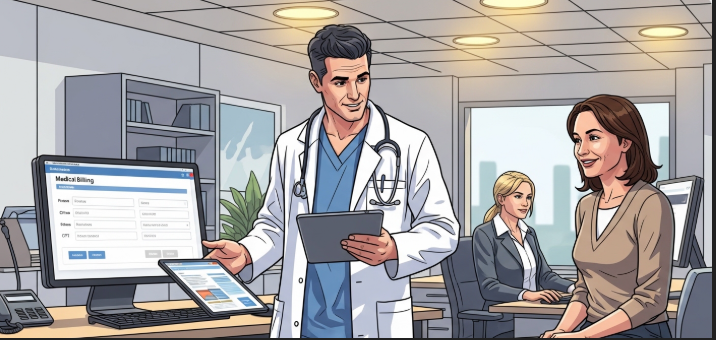


Making sure your healthcare information stays private and safe is very important. This guide will help you understand HIPAA compliance in an easy way.
HIPAA, short for the Health Insurance Portability and Accountability Act, governs the protection of patient health information. It is a set of rules that protect your medical information. These rules make sure that doctors, hospitals, and insurance companies keep your health records safe and private.
HIPAA was created in 1996 to help people keep their health insurance when they changed jobs. It also made sure companies could not deny coverage because someone had been sick before. The law also created rules to protect health information and make healthcare billing easier. Understanding how health insurance works in the USA is important for knowing why these protections matter.
Not everyone needs to follow HIPAA rules. Only certain people and organizations must follow these rules.
Organizations That Must Follow HIPAA:
Organization Type | Examples | Must Follow HIPAA? |
Health Plans | Insurance companies, HMOs, Medicare | Yes |
Healthcare Providers | Doctors, dentists, hospitals, pharmacies | Yes |
Healthcare Clearinghouses | Billing services, repricing companies | Yes |
Business Associates | Companies that help healthcare providers | Yes |
Regular Businesses | Stores, restaurants, schools | No |
Covered Entities are the main organizations that must follow HIPAA. They include:
Health plans like PPO health insurance plans and HMO health insurance plans must follow HIPAA rules to protect member information.
Business Associates are companies that work with Covered Entities. If they see or use patient health information, they must follow some HIPAA rules too.
Examples include:
PHI is any health information that can identify a specific person. This includes:
Types of PHI:
Type | Examples | Protected by HIPAA? |
Electronic PHI | Email, computer files, text messages | Yes |
Paper PHI | Written notes, printed records | Yes |
Oral PHI | Doctor talking about your care | Yes |
Anonymous Data | Information with no names or dates | No |
Following these ten steps will help organizations stay compliant with HIPAA.
First, you need to know if your organization must follow HIPAA. Ask yourself these questions:
If you answered yes to any of these, you probably need to follow HIPAA.
Every organization needs someone in charge of privacy. This person is called the Privacy Officer.
The Privacy Officer’s job includes:
If your organization uses computers to store health information, you need a Security Officer too.
The Security Officer’s job includes:
Everyone who works with health information needs to understand what PHI is. They need to know:
An audit means checking to see where PHI is used in your organization.
Find out:
A designated record set is the collection of records used to make decisions about patient care. Keep these records organized and limit how many places you store them.
This makes it easier to:
The HIPAA Security Rule has more parts than just the three main safeguards. It includes:
A breach means health information was seen or taken by the wrong person. You need procedures for:
Some states have special rules about reporting breaches. Check if your state requires you to report breaches to:
HIPAA rules can change over time. Stay up to date by:
HIPAA has three main rules that protect health information.
The Three HIPAA Rules:
Rule | What It Does | Who Must Follow It |
Privacy Rule | Protects all health information | Covered Entities and some Business Associates |
Security Rule | Protects electronic health information | Covered Entities and Business Associates |
Breach Notification Rule | Requires reporting when information is stolen | Everyone who handles PHI |
The Privacy Rule protects your medical records. It says:
Organizations must also:
The Security Rule protects electronic health information. It requires three types of safeguards:
Administrative Safeguards include:
Physical Safeguards include:
Technical Safeguards include:
When health information is stolen or seen by the wrong person, organizations must:
The notification must explain:
A risk assessment helps you find problems before they cause breaches.
Risk Assessment Steps:
Step | What To Do | Why It Matters |
Identify PHI | Find all health information | You cannot protect what you do not know about |
Find Threats | Look for dangers to PHI | Helps you know what to protect against |
Review Protections | Check current security measures | Shows what is working and what is not |
Calculate Risk | Figure out how likely problems are | Helps you focus on the biggest dangers |
Make Changes | Add new protections where needed | Reduces the chance of breaches |
You should do risk assessments:
Everyone who works with health information needs training. Training should cover:
Training should happen:
If you share PHI with another company, you need a Business Associate Agreement. This agreement must say:
Before signing an agreement:
Many HIPAA violations happen by accident. Common mistakes include:
To avoid violations:
Breaking HIPAA rules can result in serious penalties. The government looks at:
Penalties can include:
Organizations can also face:
You can learn more about healthcare compliance from the U.S. Department of Health and Human Services official HIPAA website.
Follow these tips to maintain HIPAA compliance:
IT departments have extra responsibilities. They must:
Modern EHR software systems must be designed with HIPAA compliance in mind from the start. Healthcare organizations should also explore various healthcare software used in hospitals to ensure they meet security requirements.
IT Security Checklist:
Task | How Often | Why It Matters |
Update passwords | Every 90 days | Keeps accounts secure |
Install security updates | As soon as available | Fixes security holes |
Back up data | Daily | Protects against data loss |
Review access logs | Weekly | Catches unauthorized access |
Test emergency plans | Twice a year | Makes sure plans work |
The government can audit organizations to check compliance. To prepare:
During an audit:
For more detailed guidance on HIPAA audits and compliance requirements, visit the Office for Civil Rights website at the Department of Health and Human Services.
HIPAA compliance protects patient privacy and keeps health information safe. While the rules can seem complicated, following this checklist makes compliance easier.
Remember:
Following HIPAA is not just about avoiding penalties. It is about doing the right thing and protecting the people who trust you with their health information.
If you are ever unsure about HIPAA requirements, ask for help from a compliance expert. It is better to ask questions than to make costly mistakes.
HIPAA compliance is an ongoing process, not a one-time task. Stay vigilant, keep learning, and always put patient privacy first.


Sign up for my newsletter to see new photos, tips, and blog posts. Do not worry, we will never spam you.
Health Engine Journal is a modern health-focused blog dedicated to delivering clear, reliable, and well-researched information. Our goal is to educate, inspire, and support individuals, professionals, and learners in understanding the evolving world of healthcare. We simplify complex medical and wellness topics into practical knowledge you can trust.