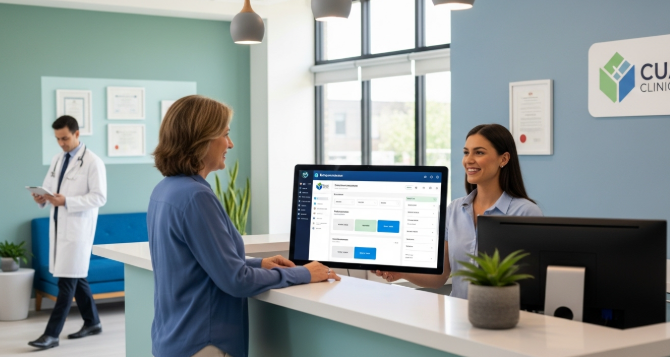
Managing patient appointments is a daily challenge for healthcare providers. Traditional paper-based systems often lead to missed appointments and scheduling conflicts. Modern scheduling software provides a more effective solution for medical practices today.
Patient appointment systems help reduce administrative burden on healthcare staff. These tools improve patient satisfaction and streamline clinic operations effectively. Healthcare providers can focus more on patient care rather than paperwork.
Importance of Digital Appointment Systems
Healthcare facilities handle hundreds of appointments every single week. Manual scheduling creates room for human errors and booking mistakes. Digital systems eliminate these problems with automated scheduling and reminders.
Patients today expect convenience when booking their medical appointments. They want to schedule visits online without making phone calls. Modern scheduling software meets these expectations and improves patient experience.
Healthcare providers must also maintain compliance with privacy regulations. HIPAA requirements demand secure handling of all patient information. Specialized medical scheduling software ensures data protection and compliance with relevant regulations.
Top 10 Patient Appointment Scheduling Software Solutions
Zocdoc for Patient Discovery and Booking
Zocdoc helps patients find and book appointments with healthcare providers. The platform shows real-time availability for doctors and specialists. Patients can read reviews and verify their insurance before booking.
Healthcare providers benefit from reduced no-show rates with automated reminders. The system sends text and email notifications to patients. Zocdoc also helps fill last-minute cancellations quickly and efficiently.
Recent partnerships have expanded Zocdoc’s reach across multiple platforms significantly. The platform partnered with Blue Shield of California in 2025. Zocdoc also powers booking for Healthgrades with millions of appointments.
The Patient Choice program, launched in 2025, highlights top providers. Providers earn badges based on ratings and low cancellation rates. This helps patients identify providers whom others recommend and trust.
Epic MyChart for Integrated Healthcare Systems
Epic MyChart integrates seamlessly with electronic health record systems. Large hospitals and health systems prefer this comprehensive solution. Patients can schedule appointments directly through the patient portal.
The platform supports video visits and secure messaging with providers. Appointment reminders help reduce missed visits and improve attendance. Epic MyChart works best for healthcare organizations already using Epic.
MyChart Central launched in November 2025 with single login capability. Patients can now access all their MyChart accounts across the nation. Epic ID enables biometric login without the need to memorize usernames and passwords.
New AI features include Emmie for patient support and assistance. Emmie helps answer questions about lab results and appointment scheduling. The platform continues to add innovative features for better care.
SimplePractice for Small Medical Practices
SimplePractice serves solo practitioners and small healthcare practices well. The software combines scheduling with basic practice management features. Mental health professionals and therapists find it particularly useful.
The platform includes telehealth capabilities for virtual patient visits. Billing integration streamlines the payment collection process significantly. Customizable intake forms save time during patient registration.
SimplePractice requires minimal training for staff members to use. The intuitive interface makes adoption quick and easy for teams. Small practices appreciate the affordable pricing and essential features.
Acuity Scheduling for Customizable Workflows
Acuity Scheduling offers extensive customization for different appointment types. Healthcare providers can set up complex scheduling rules easily. The platform supports group sessions and multiple provider calendars.
Calendar syncing prevents double-booking across different scheduling platforms. Patients can book appointments that match their specific needs. Payment processing integration allows for collecting deposits or full payments.
Waitlist management helps fill cancelled appointments automatically with interested patients. The system sends notifications when slots become available unexpectedly. Healthcare practices maximize provider time and reduce empty slots.
Kareo for Independent Medical Practices
Kareo provides comprehensive practice management beyond just appointment scheduling. The cloud-based platform includes billing and electronic health records. Small to medium-sized practices find everything they need here.
Patient self-scheduling reduces phone calls to the front desk. Automated reminders via text and email decrease no-show rates. Comprehensive reporting helps practices track scheduling efficiency and patterns.
The software grows with your practice as patient volume increases. Integration capabilities connect with other healthcare tools and systems. Kareo focuses specifically on independent practice needs and challenges.
Athenahealth for Revenue Cycle Integration
athenahealth combines scheduling with revenue cycle management seamlessly. The cloud-based system offers real-time insurance eligibility verification. Healthcare providers reduce claim denials with accurate patient information upfront.
Patient self-scheduling works across desktop and mobile devices easily. The platform matches appointments to provider specialty and availability. Network-enabled features allow practices to learn from similar organizations.
Administrative efficiency improves through automation of routine scheduling tasks. The system updates billing information automatically when appointments change. athenahealth suits practices focused on financial performance and optimization.
DrChrono for Mobile-First Healthcare Providers
DrChrono delivers a fully mobile electronic health record platform. The iPad-based system allows scheduling from anywhere in the clinic. Providers appreciate the flexibility and modern interface design.
Online appointment booking gives patients 24/7 access to scheduling. Automated check-in capabilities reduce waiting room congestion significantly. The platform handles diverse appointment types across multiple specialties.
Customizable templates adapt to different medical practice workflows easily. Integration with medical billing streamlines the entire revenue cycle. DrChrono works well for tech-forward practices embracing mobile solutions.
DrChrono partnered with Zocdoc as an Advanced Integration Partner. The partnership strengthens patient acquisition and scheduling capabilities significantly. Providers gain better access to patients seeking care actively.
NextGen Office for Multi-Location Practices
NextGen Office handles complex scheduling scenarios for larger organizations. Multi-location practices benefit from centralized scheduling and reporting features. The software manages medical equipment and room scheduling, too.
Resource scheduling ensures efficient use of diagnostic equipment and facilities. Sophisticated reporting provides insights into practice efficiency and productivity. The platform scales well for growing healthcare organizations.
Integration with comprehensive practice management tools creates operational efficiency. Healthcare teams coordinate better across different locations and departments. NextGen suits enterprises requiring advanced scheduling capabilities and control.
Appointy for Budget-Conscious Healthcare Providers
Appointy offers healthcare scheduling features at competitive and affordable prices. Small practices and startups find the pricing structure accessible. The platform includes essential features without overwhelming complexity.
Group bookings work well for wellness programs and therapy sessions. SMS reminders and email notifications keep patients informed automatically. Online payment processing simplifies collecting copays and deposits.
Detailed analytics help track appointment trends and staff productivity. The system provides good value for practices with limited budgets. Appointy grows with your practice as scheduling needs expand.
Calendly for Simple Consultation Scheduling
Calendly works well for healthcare providers offering telehealth consultations. The platform integrates with popular video conferencing tools seamlessly. A simple setup makes it accessible for providers of all ages.
Buffer times between appointments prevent provider burnout and rushing. The professional appearance impresses patients during the booking process. Calendly lacks some specialized medical features but excels in simplicity.
Time zone detection helps coordinate appointments with remote patients. The platform syncs with existing calendars to prevent conflicts. Healthcare consultants and telemedicine providers appreciate the straightforward approach.
Essential Features in Healthcare Scheduling Software
HIPAA Compliance and Data Security
Patient privacy protection is mandatory for all healthcare scheduling systems. HIPAA regulations require encryption and secure data transmission always. Software vendors must sign Business Associate Agreements with practices.
Access controls limit who can view sensitive patient information. Audit trails track all system access and changes made. Security features protect against data breaches and unauthorized access.
Choose vendors with proven track records in healthcare data security. Regular security updates protect against emerging threats and vulnerabilities. Compliance failures can result in hefty fines and reputation damage.
Electronic Health Record Integration
Integration with existing EHR systems eliminates duplicate data entry. Scheduling information flows automatically into patient medical records seamlessly. Healthcare teams save time and maintain more accurate documentation.
Managing patients with conditions like viral infections becomes easier with integration. Diagnostic codes and treatment plans connect directly to appointments. Care coordination improves when all systems share information properly.
Providers can review patient history before appointments without switching systems. Integration reduces errors and improves overall care quality significantly. Choose software that works with your current technology stack.
Automated Patient Reminder Systems
Appointment reminders dramatically reduce no-show rates at medical practices. Automated systems send text messages and emails before appointments. According to Healthcare IT News, missed appointments cost billions annually.
Studies show practices without scheduling software face 19 percent no-show rates. Clinics using automated reminders experience only 3 percent no-shows. This significant difference directly impacts revenue and patient care quality.
Customizable reminder timing allows practices to optimize notification schedules. Multiple reminders increase the likelihood that patients remember their appointments. Two-way messaging lets patients confirm or reschedule easily.
Reminders can include preparation instructions for specific appointment types. Patients receive directions and parking information automatically, too. Automated communication frees staff from making reminder phone calls.
Online Patient Self-Scheduling Capabilities
Modern patients expect to book appointments online anytime they want. Self-service portals reduce phone call volume to reception desks. Real-time availability displays help patients find convenient appointment times.
Patients can select their preferred provider when booking appointments. Appointment type filtering ensures patients book the right visit. Self-scheduling works around patient schedules rather than office hours.
The system should prevent booking errors with intelligent scheduling rules. Buffer times and provider preferences get built into the system. Patient satisfaction increases when they control their own scheduling.
Waitlist and Cancellation Management
Effective waitlist systems maximize provider utilization and reduce wasted time. Cancelled slots get offered automatically to waiting patients immediately. This feature improves access to care and practice revenue.
Patients appreciate getting earlier appointments when cancellations occur unexpectedly. Automated notifications alert waitlist patients about newly available slots. Practices fill schedules more completely and reduce provider downtime.
Priority settings can favor urgent cases or long-waiting patients. The system tracks how long patients wait for appointments. Better schedule optimization leads to improved patient satisfaction scores.
Implementation Strategies for Scheduling Software
Assessing Your Practice Needs
Start by identifying specific problems with your current scheduling process. Count how many appointments you handle weekly and monthly. Consider the number of providers and appointment types you manage.
Involve staff members who schedule appointments in the selection process. Their input reveals practical workflow challenges and requirements daily. Front desk teams know what features would help them most.
List must-have features versus nice-to-have capabilities for your practice. Budget constraints often require prioritizing essential functionality over extras. Consider future growth when evaluating different software options available.
Staff Training and Change Management
Comprehensive training ensures staff can use new systems effectively. Allocate sufficient time for hands-on practice before going live. Create training materials specific to your practice workflows and processes.
Address staff concerns about technology changes early in the process. Some team members may initially resist new systems. Emphasize how the software will make their jobs easier.
Designate super users who can help colleagues with questions. These champions support adoption and quickly troubleshoot minor issues. Ongoing training addresses new features and advanced capabilities over time.
Data Migration and System Testing
Plan carefully when moving data from old systems to new ones. Work with vendors to ensure accurate transfer of patient information. Appointment history and provider schedules must migrate correctly and completely.
Test the new system thoroughly before fully launching to patients. Verify that all features work as expected in real scenarios. Create backup plans in case technical issues arise during transition.
Run parallel systems briefly to catch any migration problems early. Compare outputs from both systems to ensure accuracy and completeness. Address discrepancies before discontinuing the old scheduling method completely.
Measuring Software Performance and Return on Investment
Key Performance Indicators to Track
Monitor no-show rates before and after implementing new scheduling software. Reduced missed appointments indicate better reminder systems and engagement. Track the percentage of appointments filled versus empty slots.
Measure the average time staff spend on scheduling tasks each day. Automation should significantly reduce manual work and phone time. Patient satisfaction scores often improve with easier appointment booking.
Calculate how many new patients find your practice through scheduling. Online booking platforms can drive new patient acquisition effectively. Revenue per provider increases when schedules fill more completely.
Average no-show rates across healthcare settings range from 12 to 23 percent. Some specialties experience rates as high as 42 percent without intervention. Tracking these metrics helps identify areas needing improvement urgently.
Calculating Financial Returns
Compare software costs against measurable operational improvements and savings. Reduced no-shows directly increase revenue from filled appointment slots. According to the Office of the National Coordinator for Health Information Technology, integrated systems reduce administrative costs substantially.
Factor in staff time savings when calculating return on investment. Hours saved on phone scheduling can be redirected to patient care. Improved efficiency often allows practices to see more patients daily.
Consider patient retention improvements from better scheduling experiences, too. Satisfied patients return and refer others to your practice. Most practices see positive ROI within six to twelve months.
Continuous Improvement and Optimization
Review scheduling data regularly to identify patterns and improvement opportunities. Analyze which appointment types have the highest no-show rates consistently. Adjust reminder timing and frequency based on actual performance data.
Gather feedback from patients about their booking experience regularly. Simple surveys reveal pain points in the scheduling process. Staff feedback identifies system features that need better optimization.
Stay updated on new features your software vendor releases. Many platforms add capabilities that could benefit your practice. Regular optimization ensures you maximize your scheduling software investment.
Patient Experience and Engagement Benefits
Convenience and Accessibility Improvements
Online scheduling gives patients control over their healthcare appointments. They can book visits at midnight without calling during hours. This convenience particularly helps working patients with busy schedules.
Mobile-friendly scheduling works on smartphones and tablets easily everywhere. Patients can manage appointments while commuting or during breaks. Accessibility improves for patients with disabilities using assistive technologies.
Communication and Engagement Enhancement
Automated reminders keep appointments top of mind for busy patients. Two-way messaging allows patients to ask questions before visits. Engagement improves when patients feel connected to their healthcare team.
Pre-appointment instructions help patients prepare properly for specific visits. Patients managing other viral diseases receive relevant preparation information automatically. Better preparation leads to more productive appointments and outcomes.
Building Patient Loyalty and Trust
Reliable scheduling systems demonstrate professionalism and respect for patient time. Patients trust practices that use modern technology appropriately and well. Positive scheduling experiences encourage patients to return for future care.
Easy rescheduling options show an understanding of patient life circumstances. Flexibility builds goodwill even when patients need to change plans. Accommodating patients strengthens loyalty to your practice long-term.
Conclusion
Patient appointment scheduling software transforms how healthcare practices operate daily. The right system reduces administrative burden and improves patient satisfaction. Healthcare providers can focus more energy on delivering quality care.
Choosing from the ten solutions discussed depends on your specific needs. Consider practice size, budget, and integration requirements when deciding carefully. Invest time in proper implementation and staff training for success.
Modern patients expect digital convenience in all aspects of life. Healthcare scheduling must meet these expectations to remain competitive today. The investment in quality scheduling software pays dividends in efficiency.
Start by identifying your biggest scheduling challenges and pain points. Select software that addresses these problems with proven features and capabilities. Your practice and patients will benefit from improved scheduling processes.